Word Search Maker
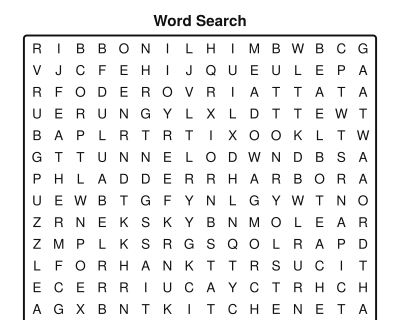
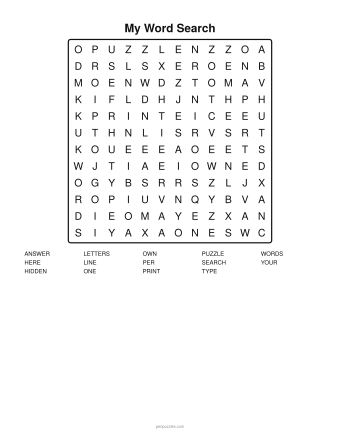
Make your own word search. Type or paste a word list, choose the difficulty and print the puzzle with its answer key.
- New puzzle every time
- Answer key included
- Letter and A4
- Free PDF
How to make a word search
- Give the puzzle a title.
- Type your words in the box, one per line. Spelling lists, vocabulary, names of guests, places from a trip: anything works.
- Pick a difficulty and, if you like, a grid size. On Auto the grid grows to fit the words.
- Press New puzzle until you like the layout, then download or print.
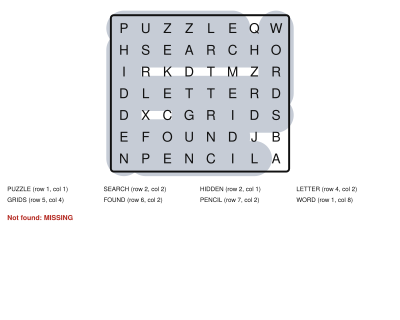
Up to 80 words fit in a 30 x 30 grid. If a word cannot be placed in the size you chose, the note under the preview says how many did not fit, so make the grid larger or leave it on Auto.
Ideas
- Weekly spelling or vocabulary words
- Names of everyone in a class, team or family
- Baby shower, wedding, birthday and retirement party games
- A unit review for science, history or a novel
- A puzzle for a newsletter or church bulletin
How to solve a word search
Every word in the list is hidden in the grid in a straight line. Scan a row for the first letter of a word, then check the letters around it for the second. Uncommon letters such as Q, Z, X, J and K are the quickest to spot, so start with words that have them. Circle each word and cross it off the list.
On the easy setting words run left to right or top to bottom. Medium adds diagonals. Hard uses all eight directions, so words can also run backward and upward.
What you can change
- Title
- Words
- Words to use
- Difficulty
- Grid size
- Large print
- Show the word list
- Name and date line
- Paper size
- Different puzzles to print
- Add the answer key
The preview updates as you go. When it looks right, press Download PDF or Print.
Common questions
Are my words saved or uploaded?
No. The puzzle is built in your browser. Your list is kept only on your own device so it is still there when you come back.
How many words can I use?
Up to 80. For a standard page, 15 to 25 words on a 15 x 15 grid reads well.
Can I use phrases or names with spaces?
Yes. Spaces and punctuation are dropped in the grid, and the list shows the phrase as you typed it.
Can I print several different puzzles at once?
Yes. Set Different puzzles to print to the number you want, up to 30. Each one is different, and the answer keys follow at the end of the PDF.
How do I save it as a PDF?
Press Download PDF. The file is made in your browser in about a second and saved to your downloads folder.
Is this free to use?
Yes. Print as many copies as you like for home, a classroom, a care home, a church group or a club newsletter. Please do not sell the puzzles.
Last reviewed November 2026. Trouble printing? See printing help.